CO2 vs Diode: What Bambu's Move Into Lasers Actually Changes
Short version
Bambu's laser modules for the H2 series are 455 nm blue diodes, 10 W or 40 W. The R1, launched September 22, 2026 at $2,499, is a 55 W CO2 machine at roughly 10.6 micrometres. That gap is not a power upgrade, it is a different physical process: a blue beam is visible light and passes straight through clear acrylic no matter how many watts you throw at it, while a CO2 beam is heat radiation that almost every non-metal absorbs. CO2 buys you clear acrylic, thicker and cleaner cuts and faster production work. It costs a separate machine, a glass tube that wears out, and real extraction. Neither one marks bare metal: that is a fiber laser's job.
- H2 laser modules, 10 W or 40 W diode
- 455 nm
- CO2 wavelength, the R1's class of machine
- 10.6 µm
- R1 price at launch, pre-order, shipping estimated for November
- $2,499
- Title
- CO2 vs Diode Laser: What Bambu's R1 Changes
- Section
- News
- Published
- Last updated
- Type
- Buying guide
- Applies to
- The H2 laser modules and the R1
- Page
- Status
- Not affiliated with Bambu Lab
Why this matters now
Since the H2D launched in March 2025, "Bambu laser" had meant an accessory. The H2D, H2C and H2S take an optional module that turns the printer into an engraver for an afternoon, and Bambu sells it from $638 on its US store. On September 14 the company confirmed something different: the R1 is a standalone CO2 laser engraver and cutter, and on September 22 it launched at $2,499 with a 55 W tube and a 600 × 300 mm bed. What it is not yet is available: Bambu’s US store lists it as a pre-order shipping around November 6, 2026 and the EU store around November 9 (both checked November 3, 2026; on October 1 both stores said about November 20).
That single word, CO2, told you more about what the R1 would and would not do than the spec sheet that followed it. It is also the part most buying advice gets wrong, because it compares wattage across laser types as if 40 W were 40 W.
- Jun 1, 2026A2L Cutting, no laser A2L with the $69 Cutting Upgrade Kit: a drag knife and a pen, no laser at all. Bambu's cheapest entry into cutting.
- Aug 13, 2026R1 teaser Category only "A new Ray of making": one image, no machine, no specs. The product page says "our first laser engraver and cutter, coming September".
- Sep 14, 2026CO2 Source confirmed Second teaser, "Big job. Light work.": the page is renamed to "R1 CO2 Laser Engraver & Cutter" and dated September 22. Subscribers are offered 15 % off. A third teaser on September 15 names the materials: wood, clear acrylic, leather, glass.
- Sep 22, 2026$2,499 Launched The numbers: 55 W CO2, 600 × 300 mm bed, 1,000 mm/s, 33.5 kg, Class 1 enclosed. Sold as a pre-order; the store ETD moved from about November 6 at launch to about November 20 (checked October 1). Exhaust hose and fan are in the box; the E1 Pro purifier is $899 extra.
.jpg)
Wavelength decides, wattage only scales
A laser removes material by being absorbed. What absorbs it depends on the wavelength, and the two wavelengths in play here are more than 20 times apart (455 nm against 10.6 µm).
Bambu's own specification for the H2 modules lists an "Engraving Laser: 455 nm ± 5 nm Blue Light" from a "Semiconductor Laser", at "10 W ± 1 W" or "40 W ± 2 W". That is visible blue light. Dark, opaque surfaces absorb it well, which is why the material list Bambu publishes reads "wood, rubber, metal sheet, leather, dark acrylic, stone".
The word "dark" is doing the heavy lifting. Clear acrylic is transparent at that wavelength: xTool, which sells both kinds of machine, puts it plainly in its own guide, "diode laser light passes through the clear acrylic, leaving it intact". A CO2 beam at 10.6 micrometres is far-infrared heat radiation, and acrylic, wood, leather, paper, fabric and even glass absorb it regardless of color. That is the whole story of why sign shops run CO2 and not diodes.
What that means for real materials
Wood
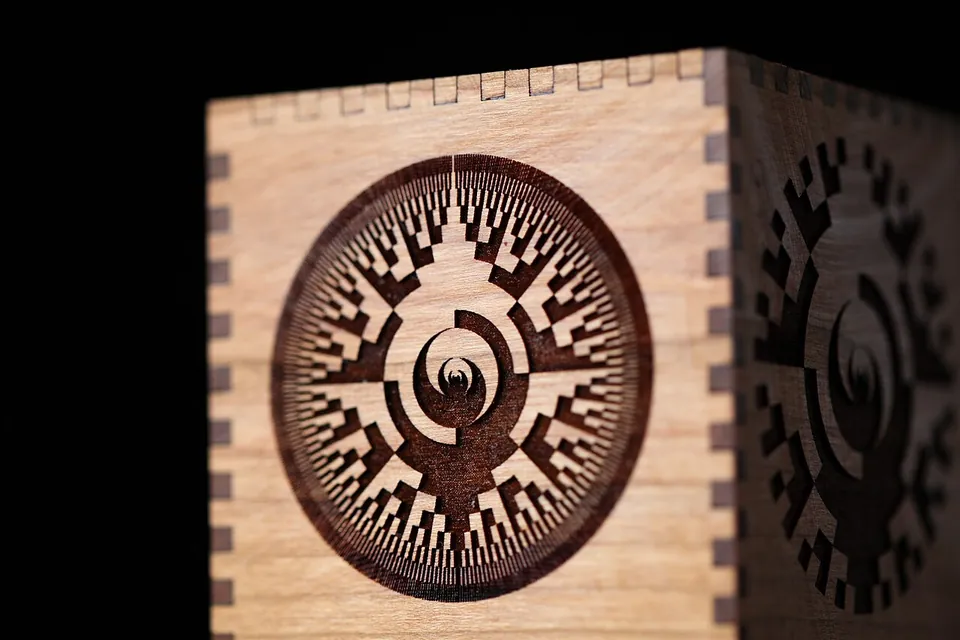
Both work, and here wattage does matter. Bambu rates the 10 W module at 5 mm maximum cutting thickness in basswood plywood on its tech-spec page (the store FAQ says 6 mm) and the 40 W module at 15 mm, with engraving speeds of 400 mm/s and 1000 mm/s. Those are respectable numbers for an accessory. A CO2 machine of similar rated power cuts comparable thicknesses, usually with a narrower, cleaner kerfThe width of material the beam actually removes. A narrow kerf means tighter-fitting parts and less loss on tight nests; a wide one eats into the cut line. and less charring, because the beam couples into the wood instead of burning its way in.

Acrylic
This is the dividing line. Dark acrylic works on a diode. Clear acrylic does not, at any wattage, unless you paint or mask the surface so the beam has something to grab. CO2 cuts clear acrylic with the polished, flame-like edge that makes acrylic worth using in the first place. xTool describes its own CO2 machine as one that "can handle all color acrylic" and its fiber machine as the metal one, which is a fair summary of the whole category.
Metal
Neither a blue diode nor CO2 engraves bare metal. Epilog, which has sold CO2 systems for decades, sells the workaround rather than the capability: "Pretreating the metal with a special marking agent will allow you to easily mark bare metals with your CO2 laser." Bambu lists "metal sheet" in its module's material list, and that works the same way, on coated, anodized or painted surfaces. Bare aluminum or brass needs a marking compound, or a fiber laserA 1064 nm near-infrared laser. Metal absorbs that wavelength, so it marks and engraves bare aluminum, brass and steel directly. It is poor at wood and does not cut acrylic cleanly, which is why it is a separate machine, not a better one. at 1064 nm, which is a third category and not something Bambu sells.
Glass and stone
CO2 frosts glass nicely and does not cut it. Diodes mark stone and slate. Neither is a glass-cutting tool.
What a CO2 machine drags along
A diode is a chip. It fits on a toolhead, which is exactly why Bambu could bolt one onto a printer. A CO2 source is a glass tube, tens of centimetres long, sitting fixed in the frame while mirrors fold the beam to the moving head. That is why the R1 cannot be an H2 accessory and has to be its own machine, and it brings three consequences a printer owner has not had to think about:
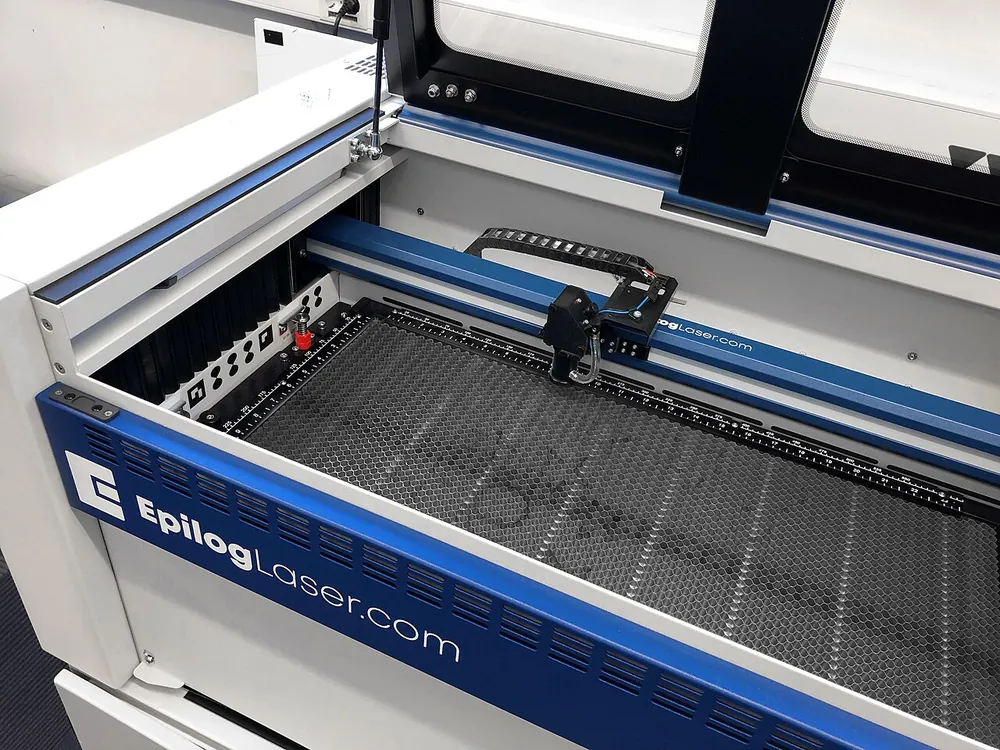

- The tube is a consumable. xTool rates the glass tube in its P2S at 6,000 to 8,000 hours, with output dropping to roughly 70 % by the end of that window, and notes that RF tubesRadio-frequency excited metal tubes. More expensive than glass tubes, longer lived, smaller spot, and they switch fast enough for fine engraving. Glass tubes are the cheaper, shorter-lived option in most consumer CO2 machines. last to about 10,000 hours. A diode module has no equivalent wear part at that scale.
- Extraction is not optional. Bambu already ships a smoke ventilation pipe and adapter with the laser kit, and desktop CO2 machines expect either a duct to a window or a filter unit that costs several hundred dollars on its own.
- Footprint. The beam path sets the machine size. The xTool P2S has a 600 × 305 mm bed in a machine you do not put on a shelf; the H2's 40 W module works in a 310 × 250 mm area inside a printer you already own.
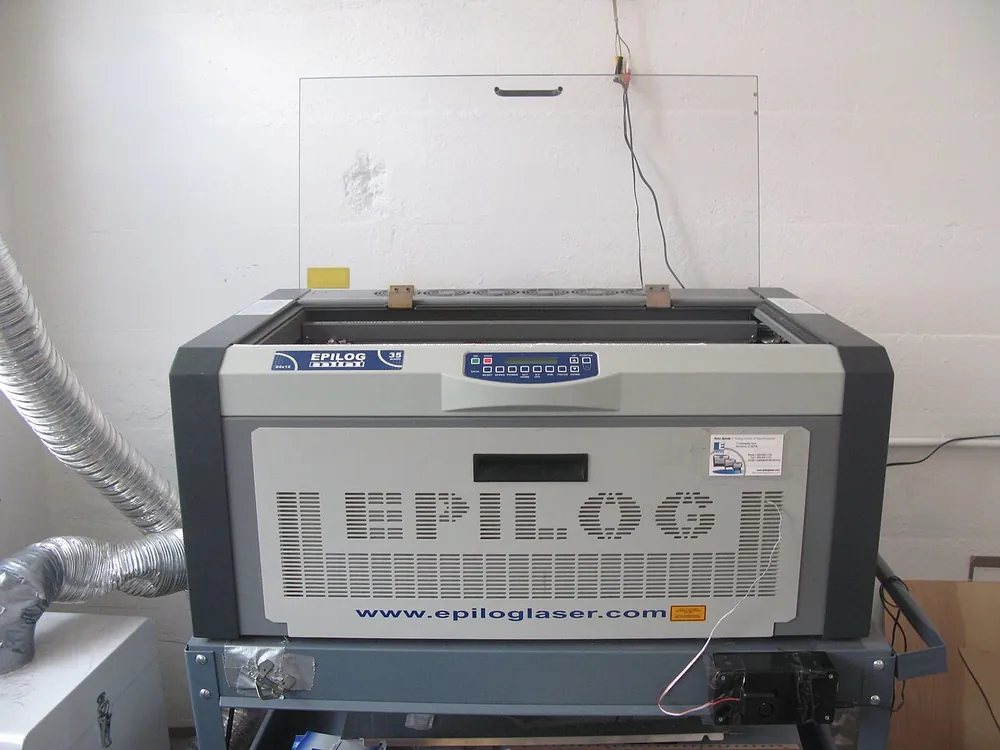

Both are Class 4 laser sources made safe by their enclosure. Bambu labels the module itself "Class 4" and the printer with the module installed "Class 1", with the footnote that this holds only "when the printer's protection is complete and properly working". Consumer CO2 machines are certified the same way. Open the lid and defeat the interlock, and either one will blind you.
What it costs today
Prices checked October 18, 2026 on the vendors' own stores:
| Option | Laser | Work area | Price |
|---|---|---|---|
| Bambu H2 laser module (10 W / 40 W) | 455 nm diode | 10 W: 310 × 270 mm (H2D/H2C), 310 × 260 mm (H2S); 40 W: 310 × 250 mm | Laser Upgrade Kit with module: $638 for the H2S (10 W); $698 (10 W) or $1,348 (40 W) for the H2D/H2C |
| Glowforge Plus (Certified Rebuilt) | CO2 | desktop | $2,249 refurbished; a new Plus HD is $6,999 |
| Glowforge Pro (Certified Rebuilt) | CO2 | desktop | $2,999 refurbished; a new Pro HD is $7,999 |
| xTool P2S | 55 W CO2, glass tube | 600 × 305 mm | $2,999 (MSRP $4,499), pre-order |
| Bambu R1 | 55 W CO2, glass tube | 600 × 300 mm | $2,499, pre-order, shipping estimated for November |
Read the kit price carefully: $638 is the H2S Laser Upgrade Kit with the 10 W module included, which turns a plain H2S into a Laser version. For the H2D and H2C the kit costs $698 (10 W) or $1,348 (40 W) (Bambu US store, checked October 18, 2026). The bare 10 W and 40 W modules only fit machines that are already Laser versions. And the H2S takes only the 10 W module; the H2D and H2C take both.
That table is also why the R1's price was the number worth waiting for. Bambu's pattern with the A1 and P1S was to undercut an established tier rather than match it. At $2,499 the R1 did not: it landed inside the bracket of the rebuilt Glowforges and the xTool P2S, not under it, which makes it a good machine in a crowded market rather than a new entry price for CO2 (more in Our take below).
So which one do you need?
Stay with the module if your work is engraving wood, leather and dark acrylic, light cutting up to a centimetre or so of plywood, and you already own an H2. It shares the frame, the enclosure and the software you know, and it costs a fraction of a machine.
Buy a CO2 machine if clear acrylic is on your list, if you cut rather than engrave, if you do runs instead of one-offs, or if you do not want your printer tied up while the laser works. Cutting speed and edge quality on a dedicated machine are not a marginal gain.
Neither if the goal is engraving bare metal. That is fiber, and no amount of CO2 wattage substitutes for it.
What the launch answered, and what it did not
Answered. 55 W CO2, a 600 × 300 mm bed, 1,000 mm/s at 20,000 mm/s², 33.5 kg, 780 W maximum draw, Class 1 in standard enclosed use, and $2,499. Bambu's spec sheet also puts numbers on the lenses: the short-focus lens in the box cuts 15 mm black walnut and 20 mm acrylic, the medium and long lenses take the wood figure to 18 mm.
Not answered. Tube life, the number that decides the running cost of any glass-tube CO2 machine, appears nowhere as an hours figure. Bambu's wiki explains why: the machine tracks tube health from accumulated process time and warns when output drops, so replacement is situational rather than scheduled. That is defensible engineering and useless for a budget.
One caveat on the table above. Bambu prices the R1 at $2,499 before tax with shipping included in the US, and at €2,499 with tax included and shipping on top in the EU. The US figure is the one that belongs in this table, since every other row is a US price.
A CO2 machine earns its space if
- You cut clear acrylic, or any acrylic where the edge quality is the product
- You cut more than you engrave, and thicker than a centimetre
- You run batches and cannot have the printer occupied by laser jobs
- You have a window, a duct or the budget for a filter unit
The H2 module stays the better buy if
- Your work is engraving wood, leather, slate and dark acrylic
- Cutting means plywood up to 15 mm now and then, not production runs
- You want one machine, one enclosure, one software stack
- The $638 (H2S) or $698 (H2D/H2C) upgrade kit is the whole budget, not the deposit on one
Our take
Bambu matched the bracket instead of undercutting it
We said the only genuinely open question was where Bambu would put the price. The answer is: inside the existing bracket, not below it. At $2,499 the R1 sits between the certified-rebuilt Glowforge Plus ($2,249) and Pro ($2,999), far below a new Glowforge Plus HD ($6,999) or Pro HD ($7,999), and below the xTool P2S ($2,999), rather than doing to desktop CO2 what the A1 and the P1S did to their segments. So this is not a price event. It is a features-at-the-same-price event: automatic optical path alignment, dual-camera placement and the motion control from the printers, in a bracket where none of that was standard. That is a real argument, just a different one from the one the A1 made. And for everybody whose material list stops at wood, leather and dark acrylic, the H2 module is still the sensible answer.
Sources
Bambu Lab. Last checked October 18, 2026.
ShowHide
- Bambu Lab, H2D technical specifications (laser type, 455 nm, 10 W / 40 W, cutting thickness, speeds, work area, Class 4 / Class 1): bambulab.com/en/h2d/tech-specs; H2S technical specifications (10 W engraving area on the H2S, 310 × 260 mm, read October 4, 2026): bambulab.com/en-us/h2s/tech-specs
- Bambu Lab US store, H2 Laser Upgrade Kit (kit prices $638 for the H2S and $698/$1,348 for the H2D/H2C, re-checked October 18, 2026; material list, 10 W vs 40 W FAQ, H2S supports 10 W only, ventilation parts): us.store.bambulab.com/products/laser-upgrade-kit
- Bambu Lab, R1 product page and footnotes (55 W CO2, 1,000 mm/s, 20,000 mm/s², Class 1, lens footnote): bambulab.com/en/r1
- Bambu Lab, R1 Spec sheet PDF linked from the store listing (work area, per-lens cutting capacity, spot sizes, 33.5 kg, 780 W, Bambu Suite on Windows and macOS), accessed September 22, 2026: store.bblcdn.com/…/R1_Spec.pdf
- Bambu Lab US and EU stores, R1 listing and accessory pages (€2,499, "ETD: Versand ca. 06. November 2026", riser $389, conveyor $499, E1 Pro $899, replacement tube assembly $372, with the EU store quoting €409, €519, €899 and €386 for the same parts), accessed September 22, 2026: us.store.bambulab.com/products/r1; ETD rechecked October 1, 2026: "Ship around November 20, 2026" (US) and "Versand ca. 20. November 2026" (EU); November 3, 2026: "Ship around November 06, 2026" (US) and "Versand ca. 09. November 2026" (EU)
- xTool, P2S product page (55 W CO2, 600 × 305 mm, price, glass tube life 6,000-8,000 h, RF to 10,000 h, "can handle all color acrylic"): xtool.com
- xTool, guide on cutting clear acrylic with a diode laser ("passes through the clear acrylic, leaving it intact"): xtool.com/blogs/how-to
- Epilog Laser, metal marking with a CO2 laser (marking agent required for bare metal): epiloglaser.com
- Glowforge store, Glowforge Plus and Pro "Certified Rebuilt" ($2,249 / $2,999) and new Plus HD / Pro HD ($6,999 / $7,999), checked October 18, 2026: shop.glowforge.com
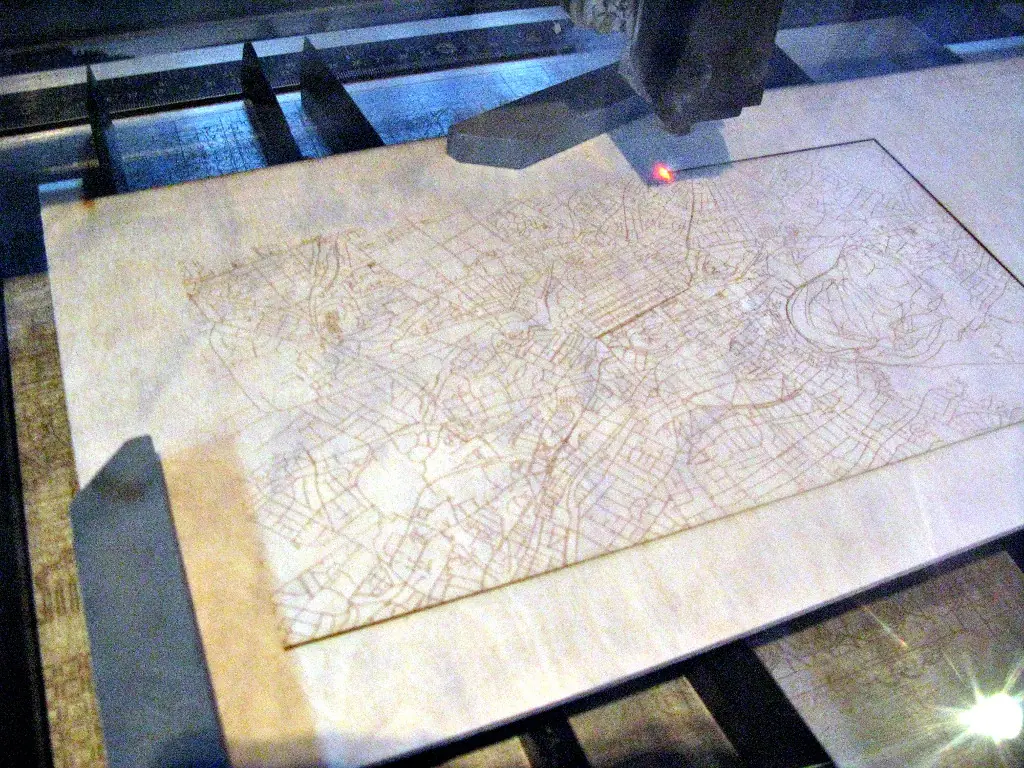
- Photographs: Wikimedia Commons, credited under each image. The two machines shown are described as CO2 by the people who photographed them; the wood and the cutting shot do not name a machine, and the captions do not claim one.