Layer Shifting
Follow the steps in order. Loose belts are cause #1, start there.
Check belt tension
Run Vibration Compensation from the calibration menu. If a belt is loose, the printer reports HMS 0300-1000-0002-0001 (X) or 0300-1100-0002-0001 (Y); loosen the tensioner screws, move the axis and retighten as in our belt guide.
Also check for visible cracks or missing teeth. Damaged belts lose tension unevenly and cause sporadic shifts.
Enable Z-Hop
In Bambu Studio: Printer settings → Extruder → Retraction → Z hop when retract (per filament: Setting Overrides → Retraction), set to 0.3–0.5 mm. The print head lifts during travel moves and avoids collisions with curled edges or warping corners.
Nozzle collisions are the second most common cause, especially when the first layer has an elephant foot.
Reduce print speed
Reduce print speed by 20–30% and test again. Very high acceleration forces can exceed motor torque and cause missed steps. Bambu's own fix for shifts at high speed is the printer option Enable Auto-recovery from step loss: when a motor loses steps, the printer repositions X, Y and Z and returns to the pre-shift position to continue the print. X1 series: Control → Print Options; A series, H2 series, P2S and X2D: Setting → Print Options; P1 series: enable it in Bambu Studio.
Also reduce acceleration and jerk values if they were manually increased.
Clean the guide rods
Dirt on the guide rods increases friction and causes missed steps. Clean the rods with IPA and a lint-free cloth. X1/P1: never oil or grease the X-axis carbon rods. P2S, X2D and H2 series: after cleaning, apply a thin film of lubricating oil to the linear shafts or rails.
Also check the purge chute for piled-up filament the toolhead can hit during filament changes, the toolhead cable chain for damage (X1, P1, P2S and H2 series) and, on the A series, whether loose tubes or cables catch anywhere across the toolhead's full range.
Less common causes
If all mechanical causes have been ruled out, electrical issues may be to blame. Expand the topic that matches your situation:
Shift only in X: X-belt, X-belt pulley, or X-motor. Shift only in Y: Y-belt, Y-belt pulley, or Y-motor. Shift in both directions at once points to overheating, power supply issues, or very high acceleration.
Reseat all stepper motor cable connections. Make sure the printer is well-ventilated, overheated motor drivers lose torque. Voltage drops under load can also cause missed steps; run the printer from a stable outlet.
Worn linear bearings cause grinding noises and intermittent binding. Push the printhead manually across its full range with the printer off. It should glide smoothly with no jerking or resistance.
Check belt tension and the X axis monthly; clean the X1/P1 carbon rods only when dirty or after about 5 kg of ABS/ASA. Keep speed within rated values. Enable Z-Hop for sticky materials. Monitor the first layer for over-extrusion.
Still shifting? Interactive troubleshooter · Community
Tools that fix this
Free the motion system and torque the mechanics back down.
Silicone grease for the Z lead screws (every three months). Never apply it to the carbon rods.
Amazon →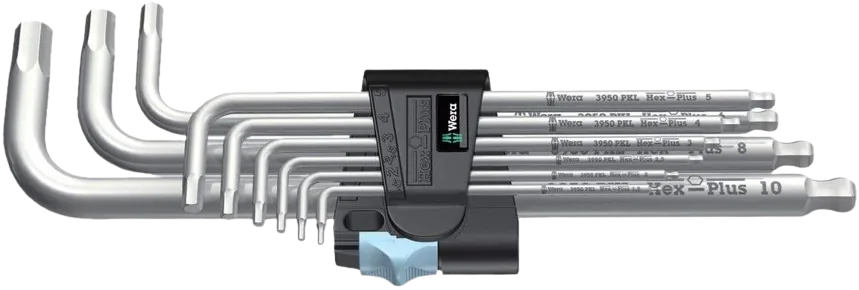
Loose belt-idler and pulley grub screws cause shifting; these hex keys let you re-tension and tighten them without stripping.
Amazon →Affiliate links. We may earn a small commission at no extra cost to you.
Nothing worked?
Ask in the official Bambu Lab forum or open a ticket via Bambu Lab support; photos help a lot. You can also contact us or post in our community forum. Or try the interactive troubleshooter.
HMS codes that point here
If Bambu Handy or Bambu Studio shows one of these HMS codes, it maps to the problem on this page. Each code links to Bambu's official step-by-step fix; come back here if the official steps don't solve it.
HMS_0300-1000-0002-0001– X-axis resonance frequency low, timing belt may be loose · official fixHMS_0300-1000-0002-0002– X-axis resonance differs from last calibration (clean the X axis) · official fixHMS_0300-1100-0002-0001– Y-axis resonance frequency low, timing belt may be loose · official fixHMS_0300-0600-0001-0001– Motor open-circuit, loose connection or failed motor · official fix